
Unlocking the Door When you Arrive
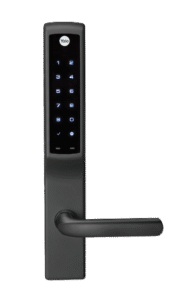
Yale Lock – How to Unlock
You are welcome to enter any of the three doors when first arriving at our cabin. The basement door is right to your left as you ascend the first set of stairs. If you continue up the second set of stairs, you’ll see the french doors on your left. If you go around to the back of the cabin, you’ll see the third door. All three doors have a Yale lock on them. This was the only digital lock compatible with the Andersen Doors we bought for the cabin. We are still getting used to the Yale locks, but they are growing on us. Entering is simple:
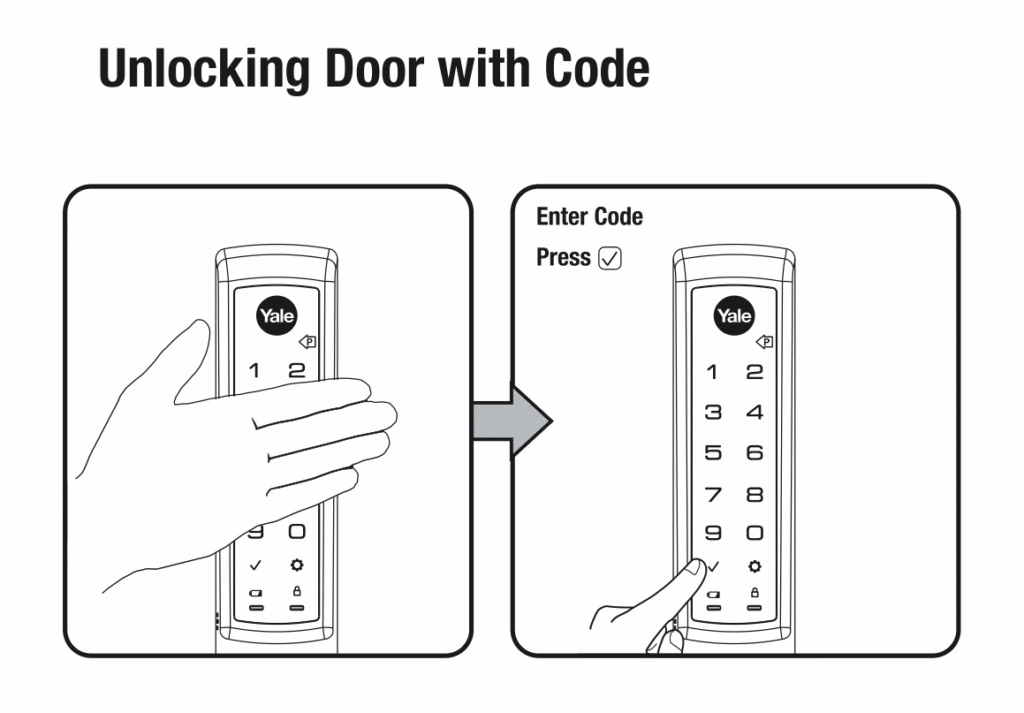
Place your palm over the lock. I think this ‘wakes’ or ‘clears’ the lock. It usually works even if you skip this step. Enter your private code that we provided you on the keypad and push the check button. That’s it! You should hear the door unlock and be able to open the door. Please wait until the lock fully disengages before trying to open the door.
Here is a YouTube Video (not ours): https://www.youtube.com/shorts/SAs2qdww-ww
Here is another Video (also not ours): https://www.youtube.com/watch?v=SplvTQGwDz8
Locking the Door From The Inside
Yale Lock – How to Lock from the Inside
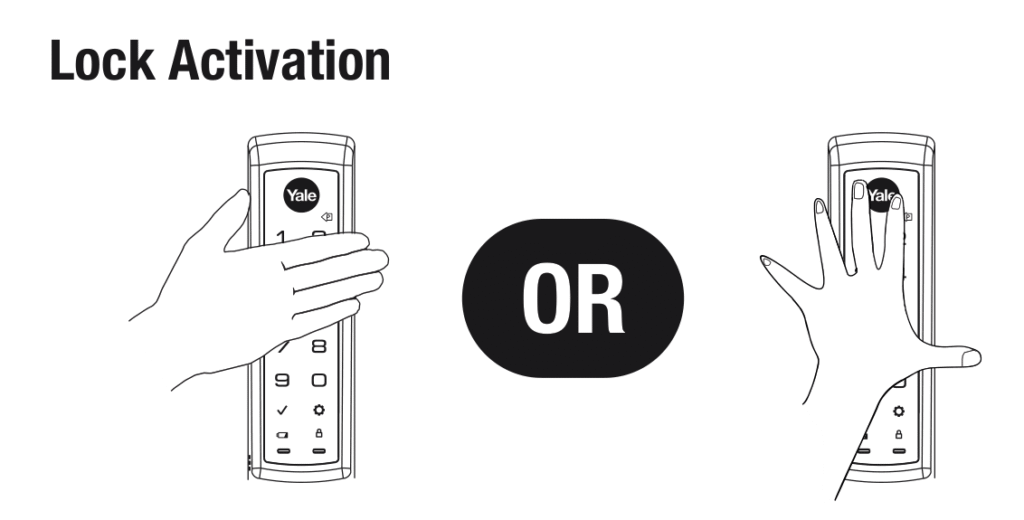
This is actually non-intuitive. You can just turn the deadbolt if you would like, but to more securely lock the door, first lift up on the door handle, then turn the deadbolt. Videos (not ours) are easier to understand:
Video: https://www.youtube.com/watch?v=FnqhGuyrRAM
Locking the Door From The Inside
Place your palm over the lock. I think this ‘wakes’ or ‘clears’ the lock. It usually works even if you skip this step. Enter your private code that we provided you on the keypad and push the check button. That’s it! You should hear the door unlock and be able to open the door. Please wait until the lock fully disengages before trying to open the door.
Here is a YouTube Video (not ours): https://www.youtube.com/shorts/SAs2qdww-ww
Here is another Video (also not ours): https://www.youtube.com/watch?v=SplvTQGwDz8
Locking the Door From The Outside when you leave
Yale Lock – How to Unlock
You are welcome to enter any of the three doors when first arriving at our cabin. The basement door is right to your left as you ascend the first set of stairs. If you continue up the second set of stairs, you’ll see the french doors on your left. If you go around to the back of the cabin, you’ll see the third door. All three doors have a Yale lock on them. This was the only digital lock compatible with the Andersen Doors we bought for the cabin. We are still getting used to the Yale locks, but they are growing on us. Entering is simple:
Place your palm over the lock. I think this ‘wakes’ or ‘clears’ the lock. It usually works even if you skip this step. Enter your private code that we provided you on the keypad and push the check button. That’s it! You should hear the door unlock and be able to open the door. Please wait until the lock fully disengages before trying to open the door.
Here is a YouTube Video (not ours): https://www.youtube.com/shorts/SAs2qdww-ww
Here is another Video (also not ours): https://www.youtube.com/watch?v=SplvTQGwDz8
Advanced Door Information
Dead Battery
This has never happened, and I doubt that it will. I would assume if one door doesn’t work, you would try one of the other two. If all three doors have a dead battery, you can ‘charge’ the door with a 9-volt battery. We have a 9-volt battery stored in a lockbox just for this exact (and nearly impossible) situation.
For Us
Information I just store here so I don’t lose it:
More Stuff for us:
Here’s a clear step-by-step guide to replacing the batteries in your Assure Lock for Andersen Patio Doors:
🔋 Battery Replacement Instructions
- Locate the Battery Removal Tool Use the tool that came with your lock. It’s designed to help you safely open the battery compartment.
- Open the Battery Cover Insert the tool into the top of the battery cover and gently pry it open.
- Remove Old Batteries Take out all four AA batteries from the compartment.
- Insert New Batteries Place 4 brand-new AA batteries into the compartment. Make sure they’re aligned correctly according to the polarity markings.
- Replace the Battery Cover Snap the cover back into place securely.
- Listen for the Chime If installed correctly, the lock will automatically chime once the battery cover is replaced.
- If you don’t hear the chime, double-check that the batteries are fresh and fully charged.
⚠️ Important Notes
- Only use 4 AA batteries.
- Avoid mixing old and new batteries or different brands.
If you need visual guidance or troubleshooting help, you can check out the official support article from Yale here. Let me know if you want help finding compatible batteries or tips for extending battery life!