Every TV in the cabin — all seven of them! — is a Roku TV. We don't have cable or satellite; everything here streams over the internet, just like at home. Most TVs are on multi-angle wall mounts, so feel free to gently tilt or swivel one to your best viewing angle.
Turning on & Guest Mode
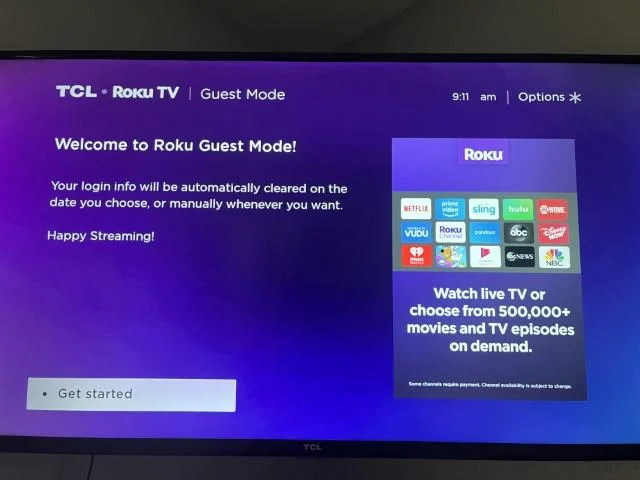
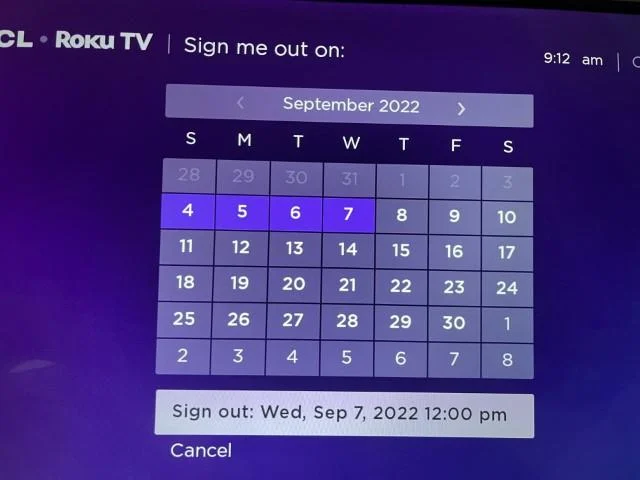
Power on with the red button at the top of the remote. The first time you turn a TV on, you'll see a quick Guest Mode welcome screen, then it'll ask for your checkout date. This is the magic part: on that date the TV automatically signs you out of every service you logged into (Netflix, Hulu, etc.), so the next guests can never reach your accounts.
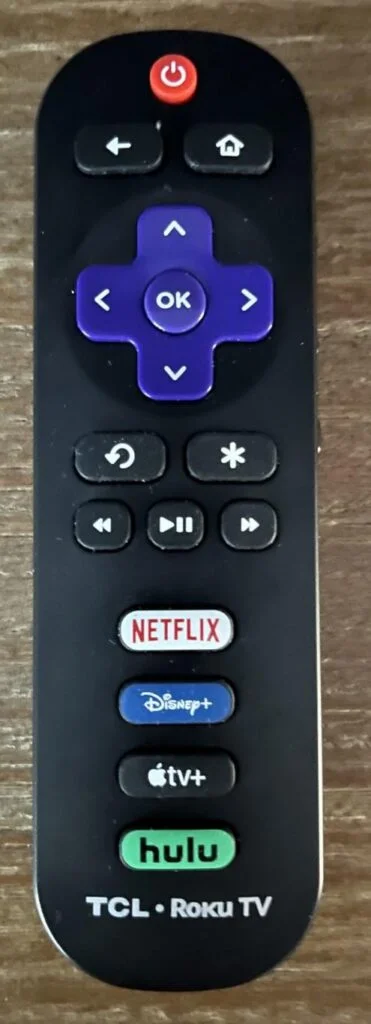
- 1Press the red power button at the top of the remote.
- 2On the “Welcome to Roku Guest Mode” screen, select Get started.
- 3Pick your checkout date — the TV will sign you out of everything automatically that day.
- 4Sign in to your own streaming apps (Netflix, Hulu, Disney+, Max, whatever you use). Your logins stay private and clear themselves on your date.
Signing out early
Leaving before your checkout date, or just want to clear your logins now? Go to Settings → System → Guest Mode → Exit Guest Mode and confirm. The TV will sign you out of all your accounts right away.
Watching live sports & football
Because we're streaming-only, live games come through apps rather than a cable box. The simplest route is to sign into a live-TV streaming service you already subscribe to — YouTube TV, Hulu + Live TV, Sling, Fubo, or DirecTV Stream — which carry ESPN and your local networks.
For the NFL specifically, games are spread around: Sunday Night Football is on Peacock, Thursday Night Football on Prime Video, Monday Night on ESPN/ABC, and Sunday afternoon games on CBS & Fox (through a live-TV service). The Roku Channel also has some free live channels worth a look.
Use your own device
Want to plug in a laptop, game console, or streaming stick? There's an HDMI cord attached behind each TV. Connect your device, then press Home on the remote and select the matching HDMI tile to switch to it.
Stream from your phone
The TVs are on the same WiFi you'll be using, so it's easy to send photos, video, or music straight from your phone or tablet. On an iPhone or iPad, tap the AirPlay icon and choose the TV. On Android, tap Cast or screen-mirroring. Great for sharing trip photos on the big screen.

Any questions about the TVs, just give us a shout — happy to help.