
Outdoor Bluetooth Speakers
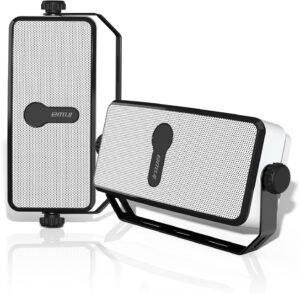
Check out our cool outdoor bluetooth speakers on each level of our cabin!
Super Quick Instructions:
- Turn on Bluetooth on your phone and connect to “MZ 511”.
- That’s it! You should be able to play whatever is on your phone over the speakers.
- Control the volume on your phone, not on the speaker.
Additional Instructions:
- The other speakers should automatically connect to the playing speaker. The playing speaker blinks blue. The connecting speakers blink red.
- If you want to disconnect a speaker, long-press on the Networking Key on the speaker. There should be an extender nearby to reach the speaker so you don’t need a ladder or chair.
- The phone will only connect to a speaker if the blue light is on.
- If the red indicator flashes, long press the networking key to switch to the blue indicator flashing.
- Distance limit is 15 meters or less
- FYI: These are intentionally somewhat quiet speakers so we don’t disturb the neighborhood… Please keep the volume lower after dinner or before breakfast.
Quick Setup (for guests who just want to play music)
- On your phone (or other Bluetooth device):
• Turn on Bluetooth → scan for new devices → look for “MZ‑511” → tap to connect. - Once connected, open your music app and play.
- Use your phone’s volume control to adjust sound.
Tip: If multiple speakers are already paired (networked), you just connect to the “Main” speaker — the others will follow along.
Detailed Instructions & Troubleshooting
Parts / Controls Overview
- Networking key (button): used to switch a speaker between Main / Aux mode or disconnect Aux from network mode.
- Play / Pause button, + / Next, – / Previous buttons:
• Short press + / – = skip track
• Long press + / – = volume up / down - LED indicator:
• Blue flashing = ready for Bluetooth connection
• Red = Aux / networked mode for additional speakers
• Blue slow flash = Main speaker in network mode
Using Multiple Speakers (Network Mode)
If you have two or more of these speakers and want voice to sync over all of them:
- Choose one unit as the Main speaker. Connect your phone to it via Bluetooth as above.
- Turn on the other speaker(s) (these become Aux). They should auto-pair (network) to the Main speaker. Their LED should show red when networked.
- Once networked:
• The Main speaker blue LED will flash slowly.
• Aux speakers will show solid red. - To remove (disconnect) an Aux speaker from the network: long-press the Networking key on that Aux until its LED starts flashing blue quickly. That breaks its network link.
Common Problems & Fixes
| Problem | Possible Cause | What to Try |
|---|---|---|
| Phone can’t find “MZ‑511” in Bluetooth list | Speaker is in Aux mode (red LED) | Long-press Networking key to switch it into Main / Bluetooth mode (blue flashing) |
| No sound after connecting | Volume is low or muted | Raise volume on phone; check app isn’t muted |
| Speakers don’t stay in sync | Aux didn’t network properly | Power off Aux, then turn it on again to let it auto-pair; check LED signals |
| LED is red flickering or not lit | Wrong mode, or connection failure | Reset the mode (long press networking key) and try pairing again |
| Too far from speaker | Bluetooth range exceeded (≈ 15 m / ~50 ft) | Move closer or reduce obstacles between phone and speaker |
Indoor Bluetooth Speakers
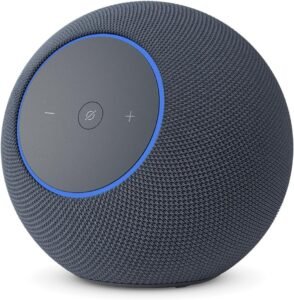
Main Level
Coming soon, we haven’t finalized plans yet
Basement Level
We think we will have a soundbar under the TV with bluetooth capabilities.
Upstairs Level
No plans for Indoor bluetooth speakers upstairs